MacroMotion

Animation macros for ATEM switchers

Design smooth picture-in-picture moves on DVE keyers & SuperSource boxes, preview them live, and turn them into macros that run on your Blackmagic ATEM switcher itself.

Native macOS app · Universal (Apple Silicon + Intel)
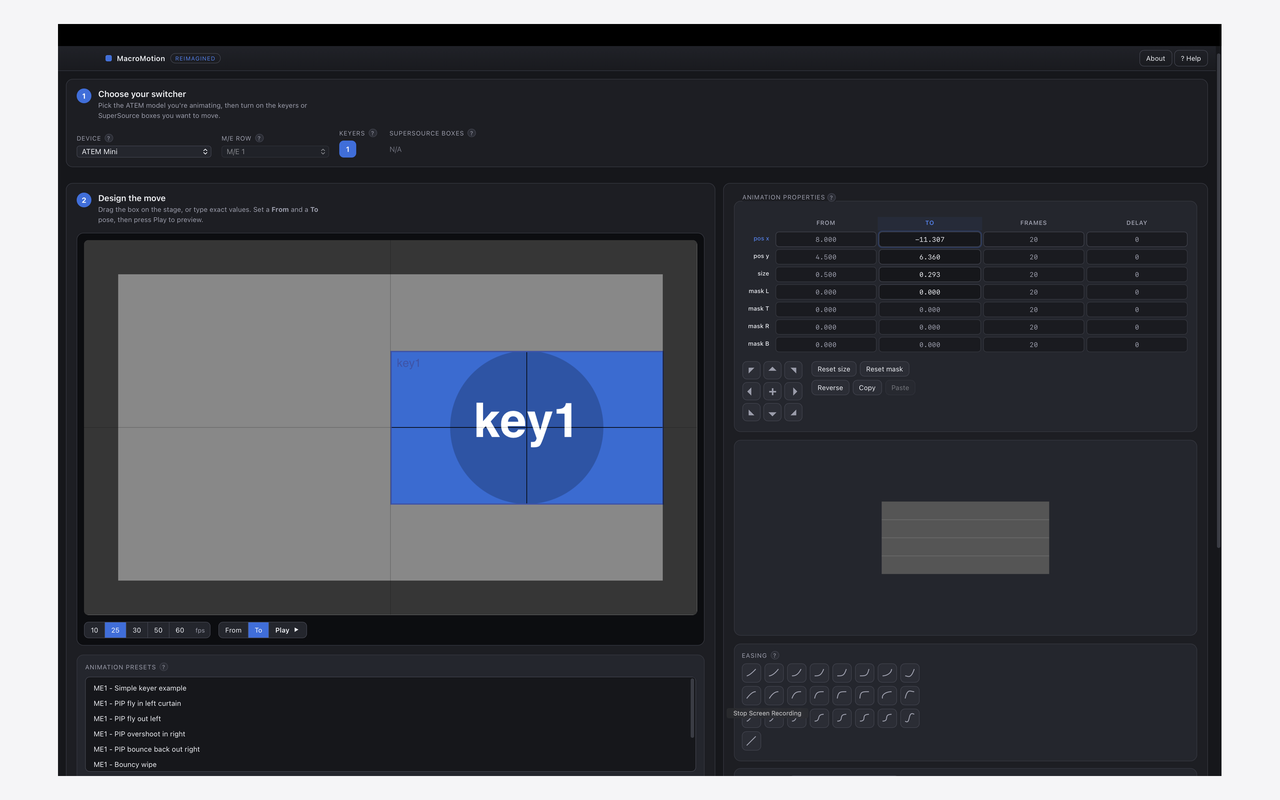
MacroMotion designing a picture-in-picture animation for an ATEM switcher

Three steps to a polished move

No timeline wrangling and no guesswork. Design it visually and let the switcher do the rest.

1

Choose your switcher

Pick your ATEM model and switch on the keyers or SuperSource boxes you want to animate. The app tailors everything to that model.

2

Design the move

Drag the box on stage or type exact values, set a From and To pose, pick an easing curve, and press Play to preview.

3

Save to your ATEM

Export it as a macro, then restore it in ATEM Software Control, or (in Pro) send it straight onto a connected switcher.

Built for real production

Everything you need to make box moves look intentional, not robotic.

DVE & SuperSource

Two-keyframe flies, zooms and reveals on keyers and SuperSource boxes.

Easing curves

Ease in/out, bounce, back and more, for natural motion rather than linear slides.

Ready-made presets

Start from a library of moves and tweak to taste.

Every ATEM model

From ATEM Mini to Constellation, matched to each model's capabilities.

Frame-accurate

Exact frame and delay control, with a live on-screen preview.

PAL & NTSC

25 / 50 fps and 30 / 60 fps. Fully offline, no account required.
Two editions

Same design tools in both. Pro adds sending the macro straight onto a connected switcher.

MacroMotion

Free · on the Mac App Store

  • Design & preview DVE / SuperSource animations
  • All presets and easing curves
  • Export as an ATEM macro file
  • Restore via ATEM Software Control
  • Send directly to a connected switcher
Download on the Mac App Store

MacroMotion Pro

£4.99 · one-time · direct download

  • Everything in the free edition
  • Send directly to ATEM, recording the macro straight onto a connected switcher
  • No file juggling, no manual restore
  • Model-match & overwrite safety checks
  • Universal (Apple Silicon + Intel) and notarised, so it opens cleanly on any Mac
Buy MacroMotion Pro for £4.99

Have a question first? Enquire →

Why two editions? Pro talks to your switcher using Blackmagic's own software, which the Mac App Store's security sandbox doesn't permit, so the direct-to-switcher edition is offered as a notarised direct download. It needs Blackmagic ATEM Software Control installed and the switcher on your network.

Enquire about MacroMotion Pro

Tell us about your setup and we'll be in touch about the Pro (direct-to-switcher) edition.